The best console for your setup is the one that fits the games you’ll play, the people you’ll play with, and the way you use your screen. A faster machine won’t help much if your friends are on another platform. A cheaper console can become an expensive choice if it can’t use the games you already own.
For most buyers, the choice starts with three questions: Which games are nonnegotiable? Will you play mostly on a TV or away from one? And do you want to buy a few games outright or keep a subscription library to sample? Answer those before comparing hardware.
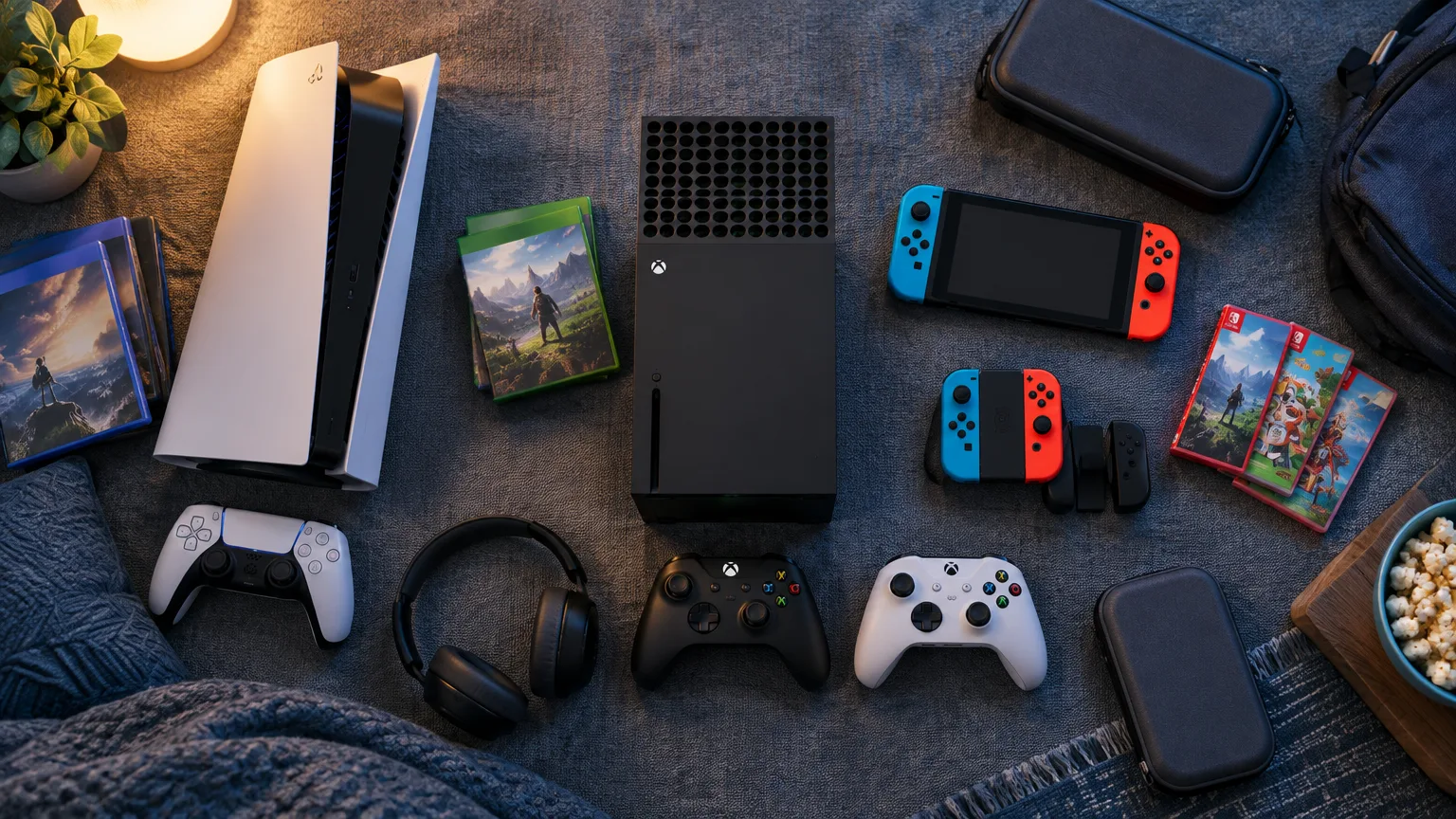
Start with the games—and check where your friends play
Write down five games you expect to play in the next year. Look up the platform for each specific title, not just its franchise. If one game accounts for most of your playing time, give it more weight than four you merely intend to try.
Nintendo is the clearest choice when its own games lead that list. Switch 2 is home to games such as Mario Kart World and Donkey Kong Bananza. It also plays many games from the original Switch, so there’s plenty to consider beyond new releases. A PS5 or Xbox may offer versions of popular third-party games, but it won’t replace the particular mix of Nintendo games and handheld play.
PlayStation’s appeal is its own lineup and a strong selection of major third-party releases. If Astro Bot is a must-play, that’s a concrete reason to choose PS5. Just be careful with the word “exclusive”: a game associated with PlayStation may also be available on PC, and platform availability can change.
Xbox makes a stronger case if you like sampling games, also play on a Windows PC, or have an Xbox library you want to keep using. Don’t choose it solely because a familiar franchise once belonged to Xbox. Halo: Campaign Evolved launched on Xbox, PC, and PS5. The useful question is where you want to play a game and how you want to pay for it—not which company publishes it.
Then check the social side. Find out which platforms your friends use and whether your shared games support cross-play, cross-platform parties, and shared progress. Those are separate features. If the weekly plan is to play one game with the same group, a console that works smoothly with that group may matter more than its exclusive catalog.
Match the hardware to your room and budget
As of October 2026, the main choices are PS5, Xbox Series X or S, and Nintendo Switch 2. Their advertised starting prices don’t describe the whole setup:
- Sony’s U.S. recommended prices are $599.99 for PS5 Digital Edition, $649.99 for PS5 with a disc drive, and $899.99 for PS5 Pro.
- Microsoft lists Xbox Series S starting at $499.99 and Xbox Series X starting at $799.99. Check the exact Series X model: disc and all-digital versions serve different collections.
- The standard Switch 2 has a $499.99 U.S. suggested retail price.
If you own discs or expect to buy used games, borrow games, or watch Blu-rays, pay close attention to the drive. Xbox Series S has no disc drive. PS5 Digital Edition is sold without one; a compatible drive can be added separately, as it can on PS5 Pro. Factor that purchase into any price comparison. Don’t pay for a disc-capable console on the assumption that every physical game you own will work; check the games first.
For a living-room setup, a standard PS5 or disc-capable Series X is the straightforward choice if you want physical games and a high-end TV experience. PS5 Pro is a specialist purchase: its improved visuals matter most if you have a suitable display, play games that benefit from its enhancements, and are comfortable paying considerably more. Series S is a smaller, all-digital route into Xbox, but it’s less suited to someone with discs or who wants the stronger Series X hardware.
Switch 2 answers a different problem. Its handheld, tabletop, and docked TV modes let one system move from the couch to another room or a trip. It’s the easiest pick when genuine portable play is a priority. PlayStation Portal and Xbox cloud gaming can also put games on a portable screen, but streaming depends on a connection; it isn’t the same as running a game locally while offline.
There’s still a reason to consider the original Switch. A Switch Lite is a lower-cost, handheld-only option for someone who mainly wants existing Switch games. It cannot serve as the family’s docked TV console, and it won’t play Switch 2-only games. If either of those matters, buy Switch 2 instead.
Compare subscriptions by what you’ll actually use
A subscription can make a console feel inexpensive to start and costly to keep. Price the tier you need, then ask which games you’d play during a normal month.
Xbox Game Pass is the most compelling option here for someone who tries many different games. In the U.S., Essential is $9.99, Premium is $14.99, and Ultimate is $22.99 per month. Essential provides a smaller library and online console multiplayer. Premium expands the library, but new Xbox-published games generally join that tier within a year rather than on day one. Ultimate is the tier to examine if day-one access to eligible new releases is the reason you’re subscribing. PC Game Pass is a separate choice for someone who primarily plays on PC. Check the catalog for your console and tier before treating any particular game as included.
Cloud play deserves a separate check. Microsoft plans monthly cloud-gaming limits beginning in November 2026: 5 hours with Essential, 10 with Premium, and 15 with Ultimate, with additional hours available to purchase. Those limits had not taken effect on October 1, 2026. They matter much more if you expect streaming on a phone, TV, or handheld to be your main way to play than if you’ll download games to an Xbox.
PlayStation Plus Essential costs $79.99 a year, Extra $134.99, and Premium $159.99 at listed U.S. annual prices. Essential covers online multiplayer for games that require Plus, along with monthly claimable games and cloud saves. Extra adds a downloadable game catalog. Premium adds features such as a classics catalog, game trials, and eligible cloud streaming. If you mainly buy two or three specific games a year, start by comparing their purchase prices with a subscription; a large catalog isn’t useful if you won’t browse it.
Nintendo Switch Online costs $19.99 a year for an individual basic membership or $34.99 for a family membership. It supports online play in compatible games and access to selected older titles. Expansion Pack tiers cost more and add further classic-game libraries and other benefits. It isn’t a substitute for buying most new Nintendo releases.
Across all three services, catalog access and ownership are different things. Games can leave a subscription library, and access generally ends when the relevant membership ends. If there’s one game you’ll return to for years, buying it may suit you better.
Let your existing library break a close tie
Backward compatibility can turn an old shelf of games—or a digital account—into a strong reason to stay with one platform.
PS5 plays the overwhelming majority of PS4 games, including supported discs on a PS5 with a drive. It does not read PS3 discs. If you have a sizable PS4 collection, make a list of the games you still care about and check any unusual titles or accessories before buying.
Xbox Series X and S play compatible Xbox One games and selected Xbox 360 and original Xbox titles. For older disc games, you need a disc-capable Series X and a title in the backward-compatible library. Series S needs digital versions. Xbox is especially appealing if you’ve built up eligible purchases across generations, but “four generations” doesn’t mean every game from each one works.
Switch 2 plays many compatible physical and digital original Switch games; some have limitations, while others offer updates or paid upgrades. Check your favorites rather than assuming the entire collection transfers perfectly. If buying physical Switch 2 games for travel, also look at the packaging: a game-key card requires an initial game download, unlike a card that contains the full game.
Think about a PC library, too. Eligible Xbox Play Anywhere games let a digital purchase work across Xbox console and Windows PC. That can add real value if you use both, but the feature applies to participating games—not every Xbox purchase.
For families, check the games and the second-player cost
Nintendo’s multiplayer games and Switch 2’s detachable controllers make it a natural first stop for a family that wants to play together in the same room. “Comes with two controllers” is not a universal promise of two-player play, though. Check each game’s supported modes and whether a second full-size controller, another pair of Joy-Con, or another system is needed.
All three platforms offer parental controls. Nintendo lets parents manage restrictions and play-time settings through its Switch parental-controls tools. PlayStation supports child accounts, playtime controls, communication settings, and spending limits. Xbox offers family settings for screen time, purchase approvals, and content access. Set up each child’s own account before handing over the console; the controls are far less useful if everyone plays on a parent’s unrestricted account.
For a shared home, also ask a simple question: Will people want to play at the same time? A portable Switch 2 can free up the TV, but one system still cannot serve two separate games at once. Two consoles, extra controllers, and memberships can change the family budget substantially.
Make the choice you can explain in one sentence
Choose Switch 2 if Nintendo games and playing away from the TV are your priorities. Choose PS5 if its games, your PS4 library, or your friends’ PlayStation accounts give you the clearest reason to be there. Choose Xbox if Game Pass, eligible older Xbox games, and playing across console and PC fit how you actually spend your time.
If you’re still torn, price a complete first year: the exact console model, two games you know you want, the subscription tier you’d really use, and any extra controller or storage. Then choose the platform that makes those games easiest to play. That calculation is more useful than declaring a winner from specifications alone.